
Integrating CapSolver with Skyvern: A Developer-First Pattern
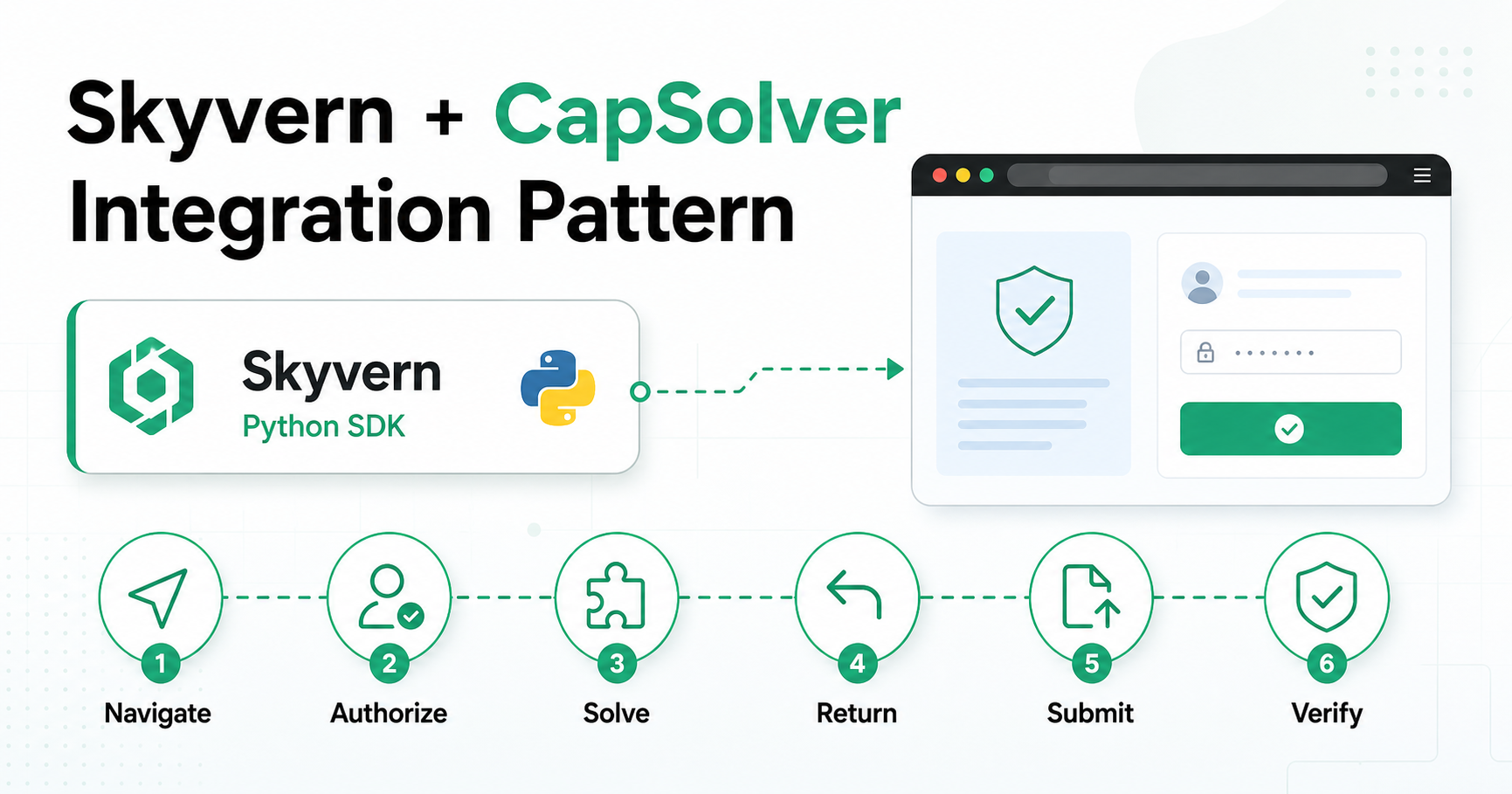
Skyvern can interpret a page and act on natural-language instructions. CapSolver can return a documented CAPTCHA solution. A production integration should connect them without placing secrets or low-level verification state inside the AI agent.
This tutorial shows the pattern for owned or explicitly authorized environments.
Architecture
Use a narrow pipeline:
Navigate with Skyvern
→ classify the authorized challenge
→ call CapSolver from application code
→ return the result to the same browser page
→ continue with Skyvern
→ verify the intended operation
Skyvern’s public SDK exposes AI-assisted page operations such as page.act() and page.validate(). CapSolver’s SDK accepts task parameters and returns a solution. Your application remains responsible for authorization, session ownership, secrets, and success checks.
Setup
Skyvern currently supports Python 3.11–3.13 in its pip quickstart:
python -m venv .venv
source .venv/bin/activate

pip install "skyvern[all]"
pip install --upgrade capsolver
python -m playwright install chromium
Load credentials outside the prompt:
export CAPSOLVER_API_KEY="set-this-in-your-secret-manager"
Solve a documented reCAPTCHA v2 task
The official CapSolver documentation shows:
import capsolver

solution = capsolver.solve({
    "type": "ReCaptchaV2TaskProxyLess",
    "websiteURL": "https://www.google.com/recaptcha/api2/demo",
    "websiteKey": "6Le-wvkSAAAAAPBMRTvw0Q4Muexq9bi0DJwx_mJ-",
})

token = solution["gRecaptchaResponse"]
Use the actual authorized page URL and site key. Keep the API key in the host process; do not add it to Skyvern instructions or logs.
Hand the result to the page
For a page that uses the standard hidden response field:
async def inject_token(page, token: str) -> None:
    await page.evaluate(
        """
        (token) => {
            const textarea = document.getElementById('g-recaptcha-response');
            if (!textarea) {
                throw new Error('g-recaptcha-response field not found');
            }
            textarea.value = token;
            textarea.dispatchEvent(new Event('change', { bubbles: true }));
        }
        """,
        token,
    )
Treat this as one integration pattern, not a universal recipe. A system you own may use a callback or server request instead. Inspect its implementation and preserve the same browser session.
Resume and validate
await page.act("Submit the form")
ok = await page.validate(
    "The authorized test completed and the expected result is visible"
)
if not ok:
    raise RuntimeError("Expected result was not verified")
Never treat “CapSolver returned a value” as proof that the business operation completed.
Add ImageToTextTask when the page uses an image code
For an authorized image CAPTCHA:
image_src = await page.locator("#demoCaptcha_CaptchaImage").get_attribute("src")
if not image_src or "," not in image_src:
    raise RuntimeError("A valid Base64 CAPTCHA image was not found")

base64_image = image_src.split(",", 1)[1]
solution = capsolver.solve({
    "type": "ImageToTextTask",
    "websiteURL": TARGET_URL,
    "module": "common",
    "body": base64_image,
})
captcha_text = solution["text"]
Fill the returned text into the expected input, submit, and verify the page result. Consult the current ImageToTextTask reference before using optional modules.
Debugging checklist
Does
websiteURLmatch the current page?Does the site key belong to that page?
Did navigation invalidate the page state?
Did the result reach the expected field or callback?
Is the browser session unchanged?
Is the success assertion specific?
Is the retry budget bounded?
Security checklist
Allowlist authorized domains.
Keep API keys in a secret store.
Redact tokens and cookies from traces.
Reject redirects to unapproved hosts.
Limit retries and total runtime.
Require a final application assertion.
Closing thought
AI browser automation works best when the model handles semantic interaction and deterministic code handles security-sensitive state. Skyvern and CapSolver fit that division naturally when the integration keeps authorization, secrets, token handoff, and verification outside the prompt.
Links:
